


Download or Print PDF:
Document
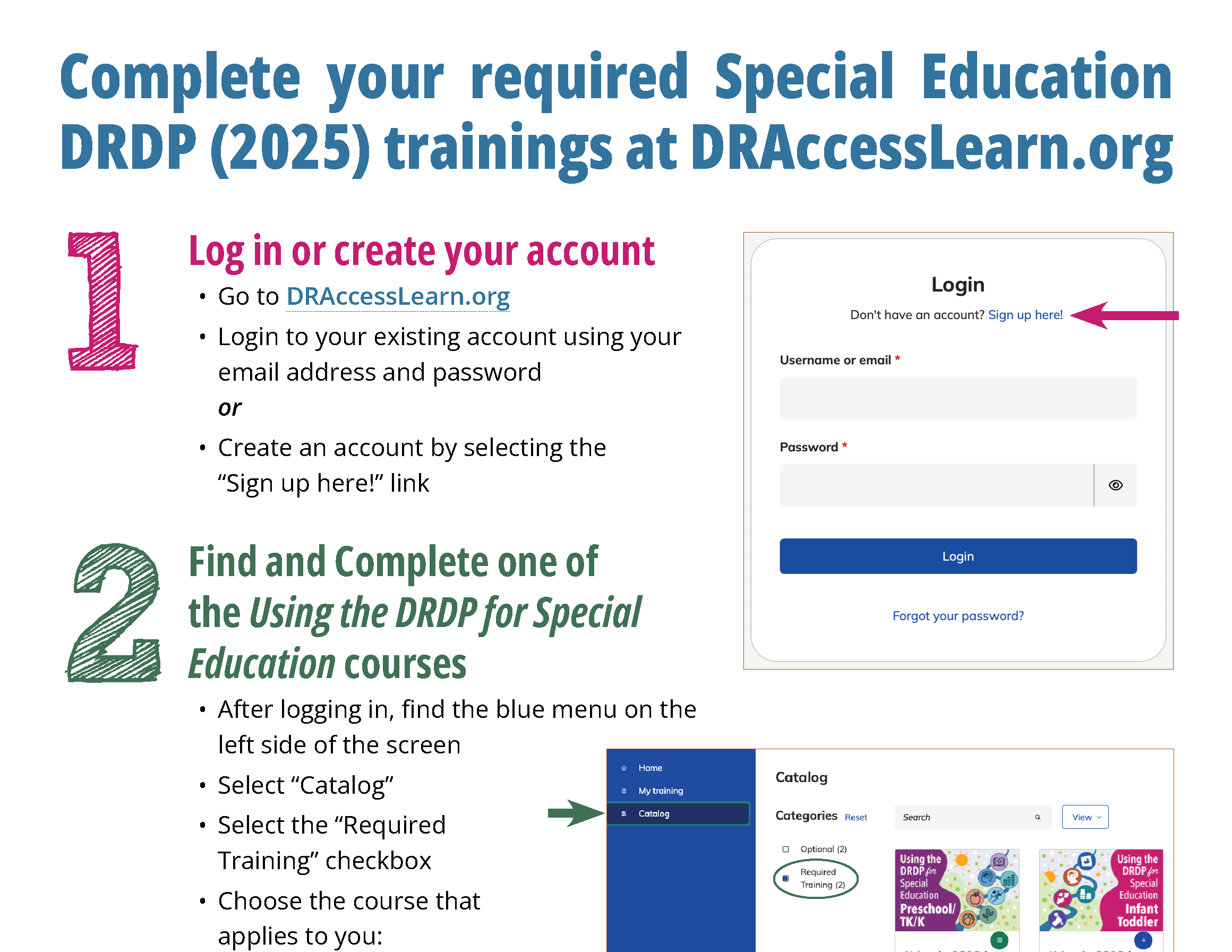
1. Log in or create your account
- Go to DRAccessLearn.org.
- Log in to your existing account using your email address and password.
- Create an account by selecting the “Sign up here!” link.
2. Find and complete one of the Using the DRDP for Special Education courses
- After logging in, find the blue menu on the left side of the screen.
- Select “Catalog.”
- Select the “Required Training” checkbox.
- Choose the course that applies to you:
- Preschool/TK/K
- Infant/Toddler
3. Find and complete Kingston’s Learning Journey
- After you complete Using the DRDP, find the blue menu on the left side of the screen.
- Select “Catalog.”
- Select the “Required Training” checkbox.
- Select Kingston’s Learning Journey.